Rebranding Your Business: A Practical Guide for Australia
A rebrand can sharpen how customers see you, or quietly cost you the recognition and search visibility you've built. Here's how to work out what kind you need, what to update, what it costs, and how to change your brand without losing your place on Google.
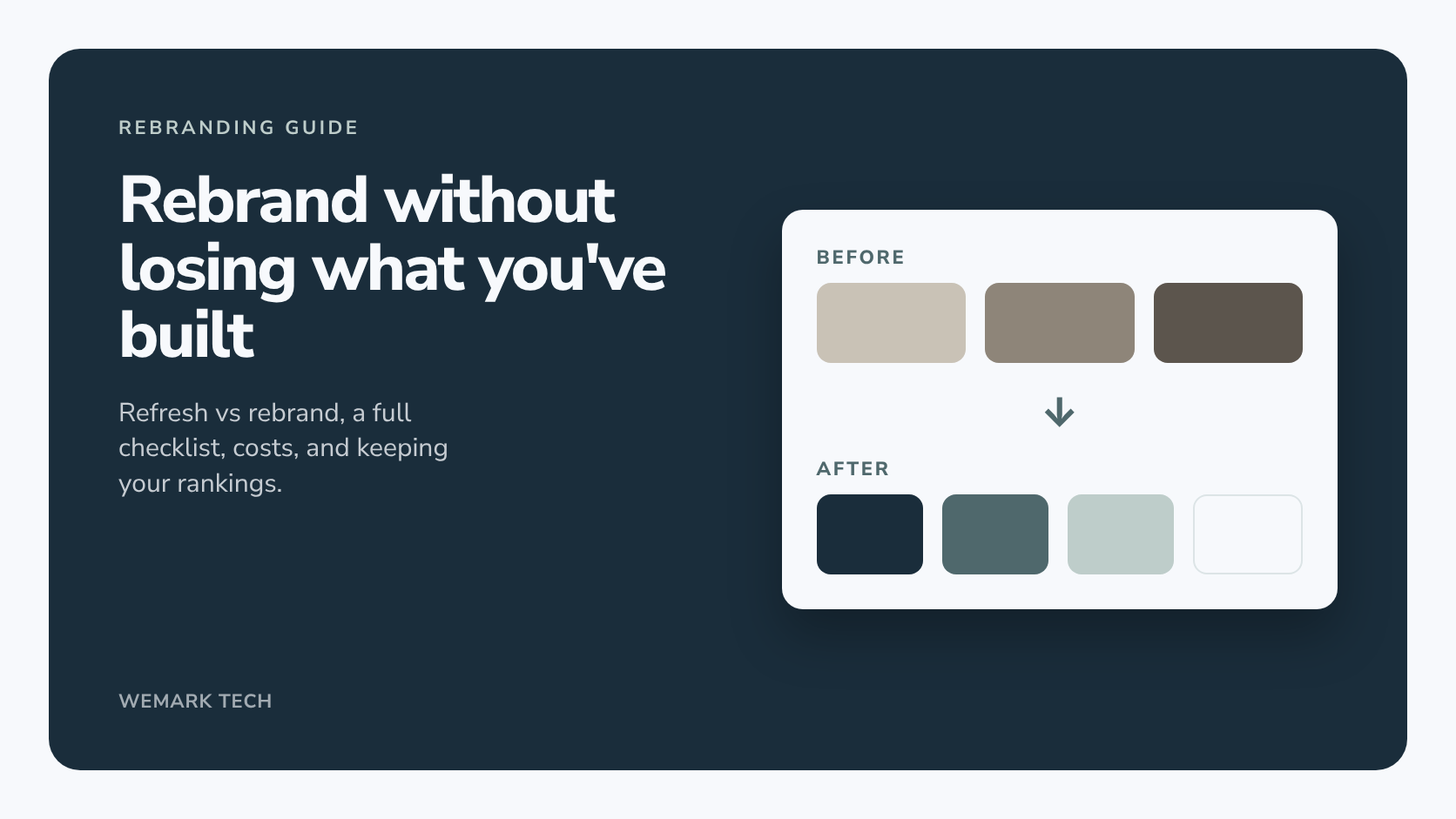
Short answer: rebranding is a deliberate change to how your business is identified and perceived, from a tidied-up logo through to a new name, identity and message. A brand refresh updates what you already have, a partial rebrand replaces the visual identity but keeps the name, and a full rebrand changes the name as well. For most small businesses, the right rebrand is the smallest change that fixes the real problem, rolled out in a planned order so customers and Google can follow it.
This guide covers which kind you need, a step-by-step process, a touchpoint checklist, indicative Australian costs, and how to keep the search rankings you've already earned.
What is rebranding?
Your brand is how people recognise and remember your business: the name, logo, colours, typography, tone of voice and the experience behind them. Rebranding is a planned change to some or all of that, usually because the business has changed and the brand hasn't kept up.
It helps to separate identity (what people see) from strategy (who you're for, what you offer and why you're the better choice). A new logo without a clear strategy is decoration. A good rebrand settles the strategy first, then designs the identity to express it.
Brand refresh vs partial rebrand vs full rebrand
Most "rebrands" aren't full rebrands. Which one you need drives the cost, the risk and how much recognition you keep.
| Type | What changes | What stays | A good fit when |
|---|---|---|---|
| Brand refresh | Logo redrawn or simplified, colours and fonts modernised, templates updated | Name, the core idea of the logo, positioning | The brand still fits, but looks dated or is used inconsistently |
| Partial rebrand | New logo and visual identity, often updated messaging | Name, and most of your positioning | You've added services, moved upmarket, or the look no longer matches what you do |
| Full rebrand | Name, logo, identity, messaging and often positioning | Your team, customers and history, and ideally your domain and page URLs | A merger, a name you can't protect, a major change of direction |
If you're unsure, start at the refresh end. You can go further later, but lost recognition is hard to win back.
Signs it's time to rebrand
- You've outgrown the brand. You now offer five services, but the name and logo still describe the first one.
- Customers misread you. People assume you're pricier, cheaper, smaller or more local than you are.
- You look inconsistent. Three versions of the logo, different colours on the van, website and invoices.
- The logo doesn't work where you need it. It's unreadable as a social profile picture or browser icon, or falls apart in one colour.
- Your name causes problems. It's too close to a competitor, clashes with a registered trade mark, or ties you to a suburb you've moved beyond.
Bad reasons to rebrand
- You're bored of your logo. You see it every day; your customers don't. Recognition is worth more than novelty.
- Sales are down and you want a quick fix. If the real problem is pricing, service or visibility, a new logo won't solve it.
- Chasing a trend. Fashionable fonts and colours date quickly. Aim for something you'll be happy with for years.
How to rebrand a business, step by step
1. Audit your current brand
List everywhere your brand appears and gather every version of your logo and templates. Ask a few customers why they chose you. Note what's worth keeping: a recognisable colour, a name with good reviews attached, pages that already rank on Google.
2. Set the strategy before the design
Write one plain-language page on who you serve, what you do for them, why they should pick you and how you want to come across. It becomes the yardstick for judging design concepts against a goal rather than personal taste.
3. Decide whether the name changes
Keeping your name is the lowest-risk option. If you do change it, check before you get attached:
- Search for similar trade marks with IP Australia's free TM Checker. A registered business name doesn't give you exclusive rights, and using a name close to someone's registered trade mark can cause legal problems.
- Search the ASIC business names register, then register the new name against your ABN.
- Check the domain name and social media handles you'll need, and get legal advice if you're investing heavily in the name.
4. Design the new identity
That's the logo (with light, dark and one-colour versions), colour palette, typography and rules for using them. A clear brief saves revision rounds, and our free logo brief generator writes one for you. For budgets, see our guide to how much a logo costs in Australia and our logo design and branding packages.
5. Apply it everywhere
Roll the identity across your website, social profiles, documents and signage. The website is usually the biggest job and carries the most search risk, so plan it as part of the rebrand. Our website development page explains how we build sites in-house.
6. Launch
Switch the main touchpoints on one date so customers don't see two brands for months. Signage and print can follow, but your website, Google Business Profile and social profiles should change together.
Rebrand checklist: every touchpoint to update
Online and search
- Website logo, colours, fonts, page titles and footer
- Favicon, app icons and the social share image
- Social profile pictures, cover images, bios and handles
- Email signatures, newsletter templates and automated emails
- Google Business Profile, Bing Places, Apple Business Connect, review sites and directories
- Structured data on your website
Legal and admin
- ASIC business name and your details on the Australian Business Register
- Invoices, quotes, contracts, terms and privacy policy
- Bank and payment provider display names
- Insurance, licences and memberships
Physical, print and internal
- Signage, vehicle wraps, uniforms and packaging
- Business cards, brochures, forms and proposal templates
- A short brand guide and one shared folder of final logo files, so old versions stop circulating
How much does a rebrand cost in Australia?
It depends almost entirely on scope. These indicative ranges are based on what Australian freelancers, studios and agencies advertise and publish, and they exclude rollout costs.
| Scope | Indicative cost (AUD) | Typically includes |
|---|---|---|
| Brand refresh, freelancer or small studio | About $1,000 to $8,000 | Redrawn logo, updated colours and fonts, basic guidelines |
| Partial or visual rebrand, studio or agency | About $8,000 to $40,000 | New logo and identity system, fuller guidelines, key touchpoints |
| Full strategy-led rebrand, agency | About $20,000 to $150,000+ | Research, positioning, messaging, naming, identity and rollout planning |
| Rollout and implementation | Varies widely | Website, signage, vehicles, uniforms and reprinted stock |
Rollout is the cost people forget: with a shopfront, fleet or packaging, it can exceed the design fee.
Wemark Tech uses fixed, one-off prices in AUD: Logo at $99 (a primary logo with light, dark and one-colour versions, vector files, a favicon, two revision rounds and full ownership), Brand at $500 (adding a brand book, colour and type system, templates and an app icon set) and Brand + Website at $1,500 (adding a custom mobile-first website with on-page SEO and 30 days of support). To compare with a traditional agency, see our guide to choosing a branding agency in Australia.
How to rebrand without losing your Google rankings
A rebrand changes the signals Google uses to understand who you are. Handled carelessly, it can cost rankings, reviews and local visibility that took years to build. We build websites and do SEO as well as design, so this is the part we watch most closely.
Keep your domain and URLs where you can
The safest rebrand changes how pages look, not where they live. If your domain and page addresses stay the same, existing links keep working and Google keeps crawling URLs it already knows. A new name doesn't automatically require a new domain, so weigh a matching domain against the risk of moving.
If the domain or URLs change, redirect every old URL
Map each old URL to its closest new equivalent with a permanent (301) redirect, page to page, not everything to the home page. Update internal links and your XML sitemap, and for a domain move, verify the new domain in Google Search Console and use its Change of Address tool. Google recommends keeping redirects in place for at least a year. Expect some ranking fluctuation while it processes the move.
Change your Google Business Profile name only to your real-world name
Google's guidelines say your profile name should reflect your real-world business name, as used consistently on your signage, website and stationery and known to customers. So change it only once the new name is genuinely in use, without added keywords or suburbs. A minor change, where the main words and category stay the same, may be edited in place, keeping your reviews. A substantially different name is treated as a new business: Google asks you to close the old profile and create a new one, and existing reviews stay with the old profile. Check the current guidelines first.
Keep name, address and phone consistent
Search engines cross-check your details across your website, Business Profile, social profiles and directories. Update every listing so the same name, address and phone number appear everywhere; mismatches make it harder for Google to confirm you're the same business.
Update structured data and your site name
Update the Organization structured data on your site with the new name and logo, and the WebSite structured data that tells Google your preferred site name. Change page titles and the footer at the same time so every signal matches.
Tell customers the old name, too
People will search for your old name for a while. Mention it on your About page and in your announcement ("formerly ...") so they still find you.
New name, new website and new domain at once is the riskiest combination. Together, they make it harder for Google to connect the new site to the old one, and harder for you to tell what went wrong if enquiries drop.
If your rebrand involves a domain change or a new site, our SEO service can plan the redirects and listing updates, scoped after a consultation.
How to announce a rebrand
- Tell existing customers first with a short email: what's changing, why, and what stays the same.
- Post on social media on launch day, with a before-and-after if the change is visual.
- Add a note to your website, such as a banner or short post.
- Brief your team so they can explain the change in one sentence, focused on what's better for customers.
- Tell suppliers and referrers so their links and listings get updated.
Example: Wemark Tech's own rebrand
We recently went through this ourselves. The business moved from the name "Wemark Technologies" to "Wemark Tech", with a new logomark and wordmark.
- Palette: Wemark Navy #1A2D3B, Dusty Teal #4F686C, Light Green #BECDCA and Cloud White #F7F9FC.
- Typography: Avenir Next, with Demi for headings, Medium for subheadings and Regular for body text.
- Website: we mocked up three website design concepts and chose one.
- Rollout: the new identity went across the website, favicon and app icons, and the social share image.
- Search: we kept the domain and page URLs the same, so the site's existing search visibility carried over.
Because no URLs changed, there was no redirect map to build. That's what we'd suggest to most small businesses: change the look, but keep the URLs Google already knows.
How Wemark Tech can help with a rebrand
We're an Adelaide team working with businesses across Australia, handling design, websites and SEO in-house, so the parts of a rebrand often split between suppliers get planned together. Our rebranding service page explains how we approach it. We'll give you an honest recommendation after reviewing your brand and goals.
Frequently asked questions
What's the difference between a rebrand and a brand refresh?
A refresh updates your existing identity, tidying the logo and modernising colours and fonts, while keeping it recognisable. A rebrand replaces the visual identity, and a full rebrand changes the name too.
How long does a rebrand take?
It depends on scope and how quickly decisions get made. A refresh can take a few weeks; a full rebrand with a name change, legal checks and a new website takes considerably longer.
Will rebranding hurt my SEO?
It doesn't have to. The biggest risks are changing your domain or URLs without redirects and leaving inconsistent details across listings. Stable URLs, page-to-page redirects and updated listings give your rankings the best chance, though no one can guarantee them.
Do I need a new ABN if I change my business name?
Not if the business entity stays the same. Register the new trading name with ASIC against your existing ABN and update your details on the Australian Business Register. Changing a company's legal name is a separate process.
The bottom line
A good rebrand starts with a clear reason, changes no more than it needs to, and moves every touchpoint over in a planned order. Protect what's already working, especially your domain, URLs, reviews and listings. If you're weighing up a refresh or a full rebrand, talk to our team.